Back to menu

Browse your subject areas


Step-by-step online application

International students can make direct applications on our website.

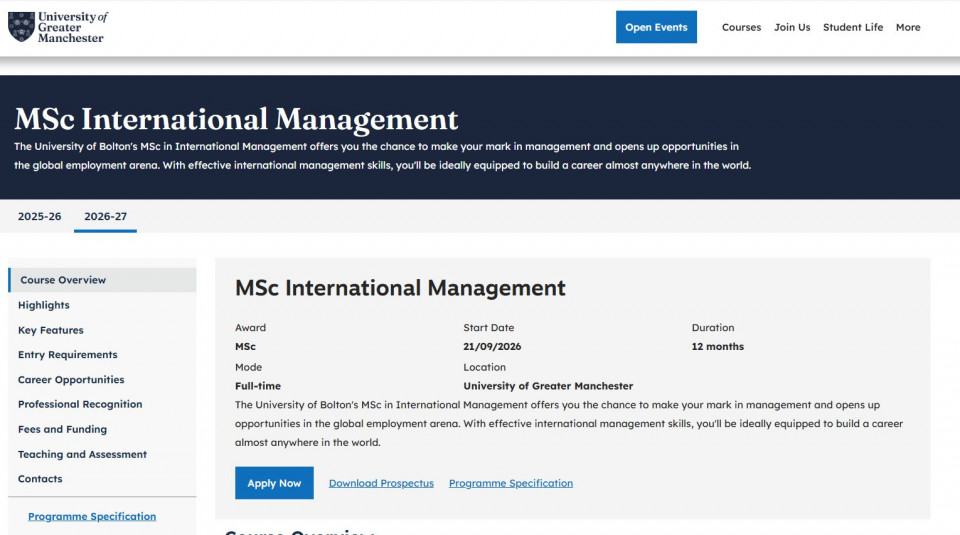
  • Use our course search engine to find the course you wish to apply for at https://www.greatermanchester.ac.uk
  • Let’s suppose you wish to make an application for MSc International Management. When you type “international management” on the search engine, you will get all the international management related courses we teach. Please always remember to check the location of study as you may find other off-campus partners. In this case, we will submit an application for the MSc International Management.
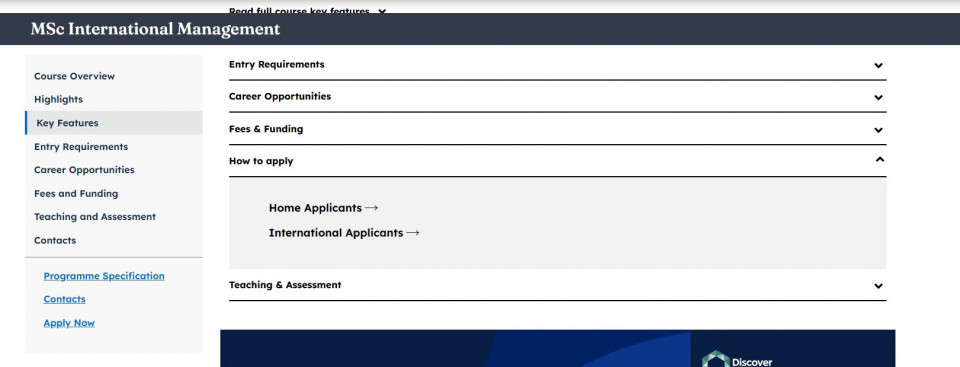
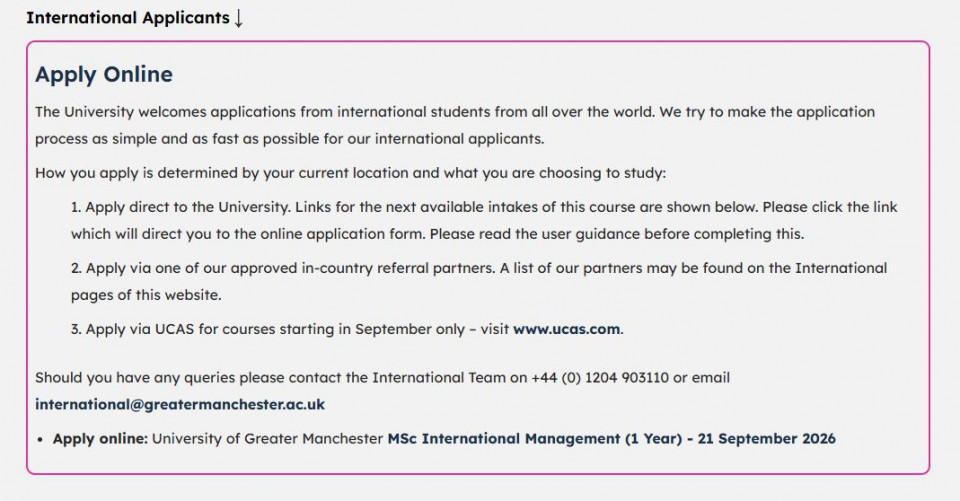
  • You will see different tabs with information regarding this specific course (e.g. entry requirements, course details). Click the blue “Apply Now” button to submit an online application. Then click on international.
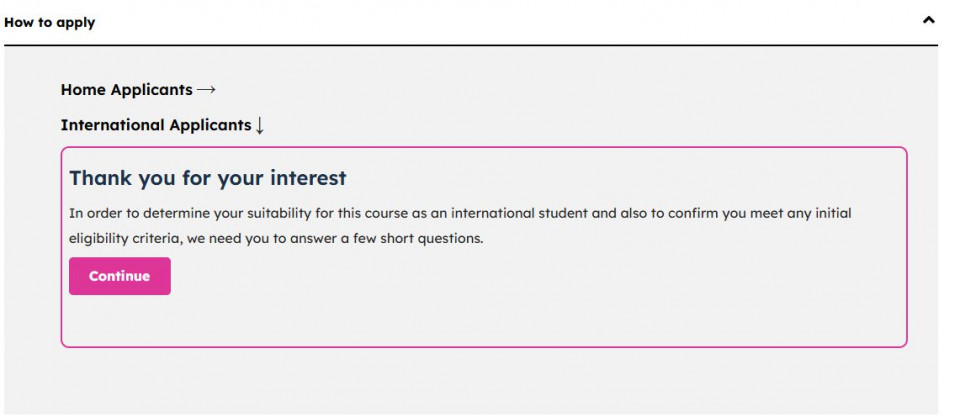
  • You will be prompted to complete an eligibility questionairre - Click on “continue” to start:
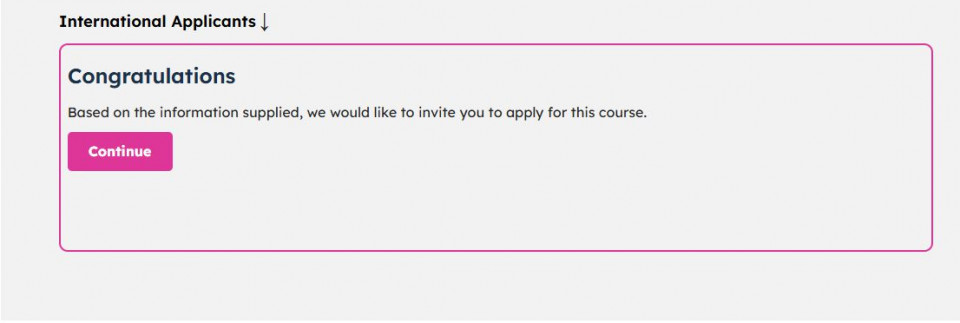
  • If you answer the questions positively, you will be invited to continue -
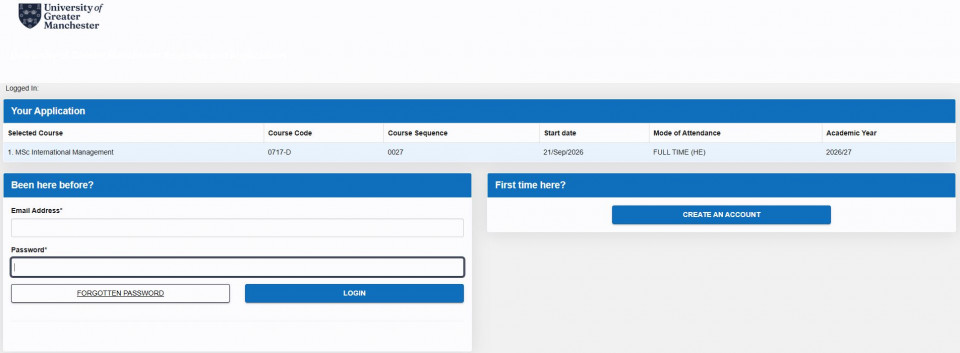
  • Click on “First time here” to get started (unless you have applied before, then fill in the “Been here before” and login:
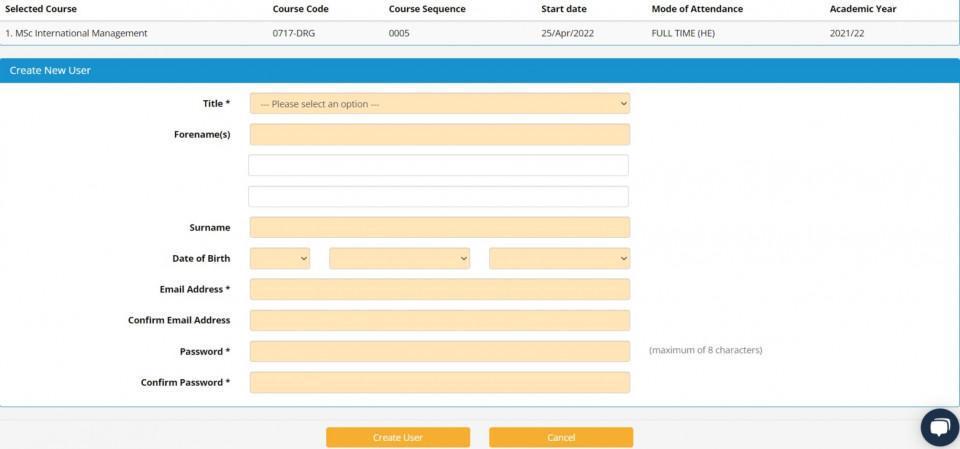
  • Fill in the relevant information and click “proceed”.
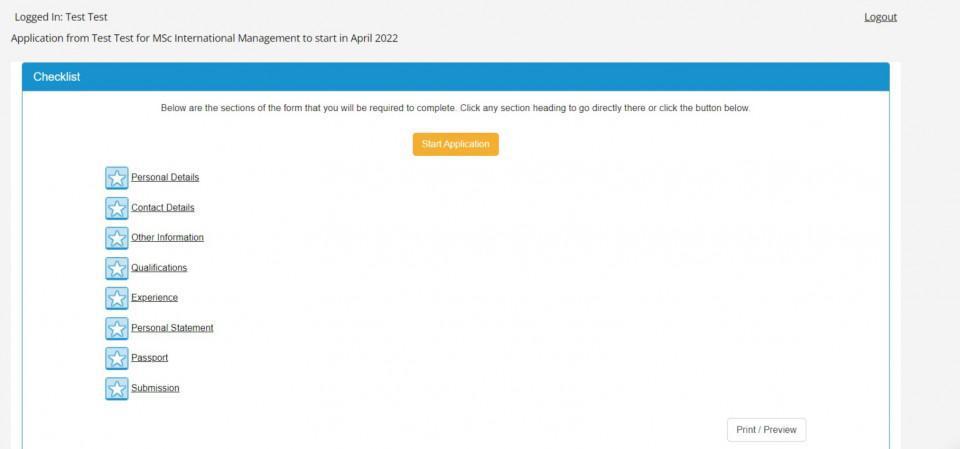
  • You will get to this screen. Fill ALL the information required.
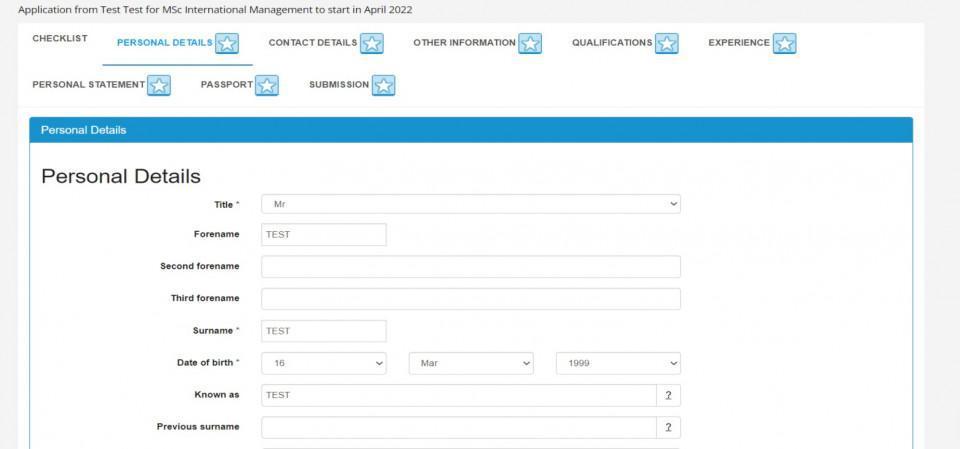
  • Fill in your personal details here:
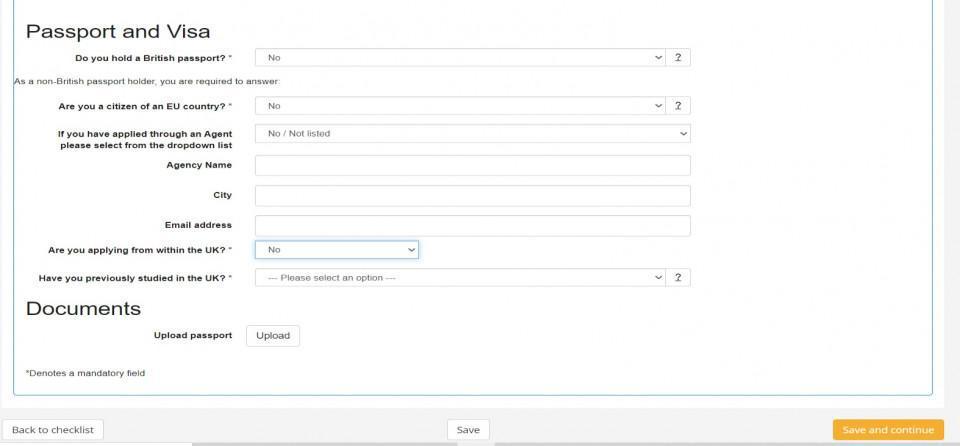
  • In order to link your application to your company, you need to go to the “passport” tab, and select option “no” for the “Do you hold a British passport?” question. Select the name of your agent/consultant if applicable.
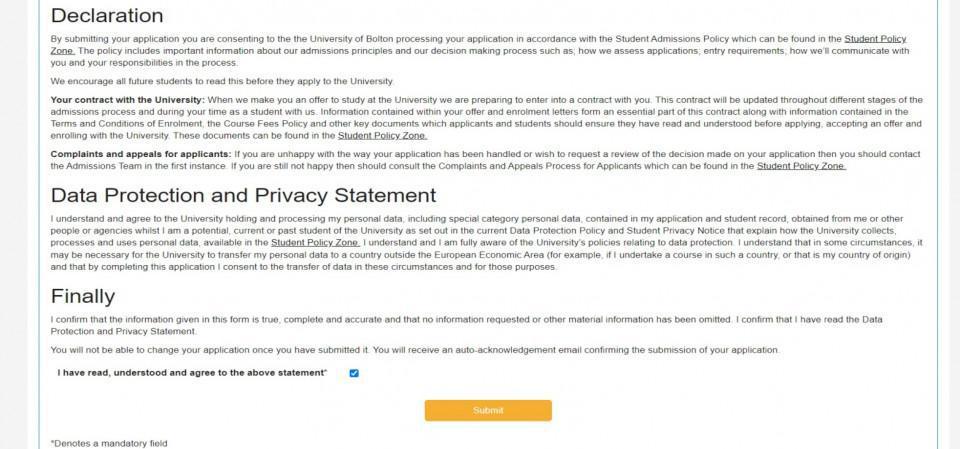
  • If you have followed all the steps correctly, you will see ticks next to each step of your application. Finally, you will be able to submit your application.
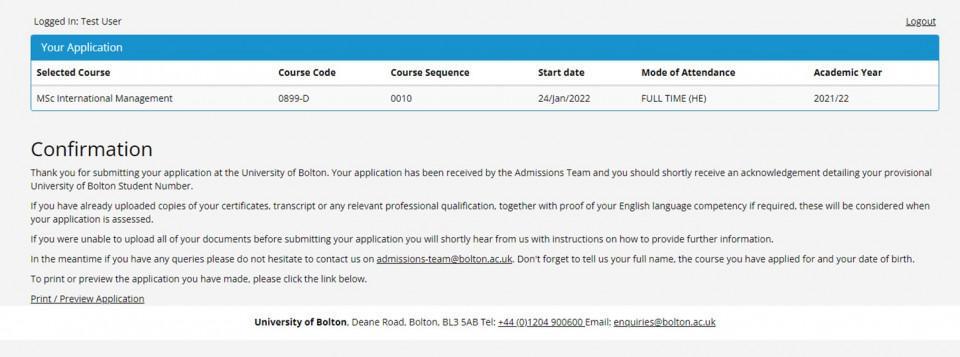
  • You will then see the following confirmation screen if correctly submitted:
  • You will receive a second email containing your 7-digit Student ID number beginning with 2. You will use this number for any further communication between you and the admissions team.

myBolton

Download the app for your smartphone from: